
If you try to use GPS navigation apps on the Stark VARG, the map disappears as soon as the dashboard screen takes over. This makes it near impossible (or at least tedious) to use GPS navigation apps other than the Stark official PRO subscription that gives access to Trail, Navigation, Tracks.
After some success with workarounds like split screen (link) or disabling the Stark app foreground (link), which kind of work but are not very reliable, I stumbled upon something interesting. When you set Google Maps to navigate, it appears as a Picture-in-Picture window on top of the Stark dashboard. But as with the other workarounds it comes with some limitations:
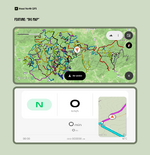
I named it Head North GPS. There are more details on how it works here headnorthgps.com and it's also available on the Google Play Store (link).
All ideas and comments are welcome. If there is interest I'll keep building it.
After some success with workarounds like split screen (link) or disabling the Stark app foreground (link), which kind of work but are not very reliable, I stumbled upon something interesting. When you set Google Maps to navigate, it appears as a Picture-in-Picture window on top of the Stark dashboard. But as with the other workarounds it comes with some limitations:
- It only works with turn-by-turn navigation. You can't just see a map or follow your own GPX trail
- If you tap the Google Maps PiP window to full screen, you get stuck in Google Maps and lose access to the Stark dashboard until you turn off the bike or restart the phone.
I named it Head North GPS. There are more details on how it works here headnorthgps.com and it's also available on the Google Play Store (link).
All ideas and comments are welcome. If there is interest I'll keep building it.